
← All help

How Your Files Are Stored

Every Filamental project is a folder on your computer or network, and every node in it is a plain Markdown file you can open in any text editor.

Where: your project folder, on disk · the Projects window lists it (click your project's name, top left)

What it is

Choose Blank in New / Open / Import… and the New project window asks for a Project name and a Location. Create project makes a folder of that name there, and that folder is your project. All your node text (like this page) lives in it as plain Markdown files, which is why your work is always yours and readable by (almost) any app.
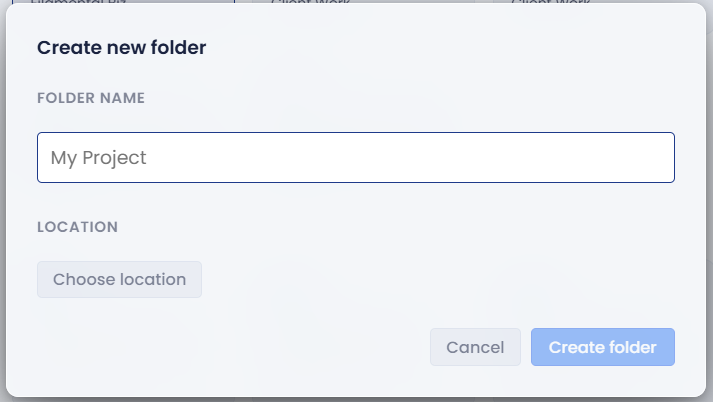
The Create new folder dialog, with a folder name of My Project typed in and a Choose location button below it

The Projects window keeps a bookmark to each folder. Renaming a project there, or forgetting it, doesn't touch the folder itself.

How to use it

What a note holds. Each note is a .md file whose front matter holds its name, classification, properties and connections, each connection pointing at the other node's ID. Your text sits underneath. Fields another app put there, such as Obsidian's tags and aliases, are kept every time Filamental saves the note.

Files that aren't notes. PDFs, pictures and other files in the folder appear as file nodes, and double-clicking one opens it in its usual app.

The hidden .filamental folder. Filamental keeps everything else in a hidden folder inside the project:

  • your classifications, connector types and the project's list of properties
  • each file node's classification, properties and connections, so it arrives whole on another computer
  • node positions, pins and page layouts
  • the project's settings, such as the forces, the grid, node labels and Page style, and which page is the hub
  • pictures pasted into notes, covers, attached files, and your own background images
  • nodes you've deleted, held there so [Ctrl+Z] can bring them back, until the project next opens or you open another, when they go to your Recycle Bin or Trash
  • the audit log, if you switch it on in Settings › General

Your words and the connections between notes live in the notes, so they survive without .filamental. The arrangement, the vocabulary's names and colours, what's set on file nodes, and the pictures don't.

Changes made outside Filamental. While a project is open, Filamental watches its folder. Edit or delete a note in another app, or drop in a PDF or a picture, and the canvas follows. A plain Markdown file new to Filamental joins when the project next opens, or when you click Refresh in the top bar.

Tips

  • Move notes between sub-folders on disk however you like. Connections point at a node's ID, not its location, so they hold. A PDF or picture renamed or moved outside Filamental loses its saved details and comes back as a new file node.
  • Some things belong to your computer rather than the folder: the search index, your interface font and shortcuts, and which background each project shows. Someone opening the same folder elsewhere starts from their own.
  • The first time you open a project each day, Filamental backs up its notes and its classification, connector and property lists. The backup stays on your computer, outside the folder, for seven days.
  • A project folder you didn't add yourself, such as one somebody sent you, opens read-only. Click Add to shortcuts and edit to work in it.

How this helps you

  • Use it when you want your work in a backup, a shared drive or version control: it's a folder of text files, so they already handle it.
  • Use it to hand a whole project to someone. Send the folder and it arrives with its layout, classifications and Page style.

Related

Still stuck? Email [email protected].