
The soil survey, the drainage invoice, the spray recommendation, the photos from the wet corner. Drag them onto the field they belong to and that’s where they stay. Click one and it opens in whatever normally opens it. No more working out which folder you filed it under in 2019.
A farm office drive that has been growing for fifteen years. Soil surveys under a year, or under a field, depending on who saved them, and the stewardship agreement in three subfolders in two versions, one of which is current.
Every one of those files was put somewhere sensible on the day it turned up, and nothing is lost. It’s just that finding it takes ten minutes you don’t have in September, so you make the call from memory instead. And memory is the one copy nobody backs up.
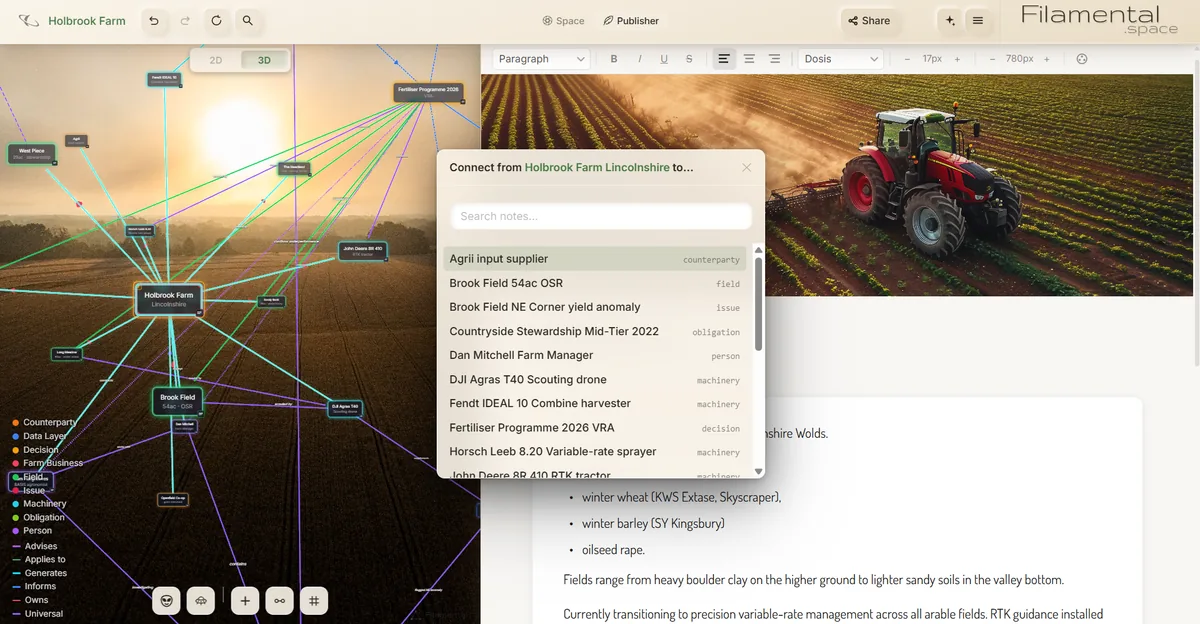
Every field, machine, adviser, contract and scheme is a node you can put things on. Drop a file onto one and it attaches, as many as you like, and clicking it opens it in Acrobat or Excel or your photo viewer, exactly as it would from a folder.
You’re asked each time whether to copy or move. Copy leaves your folders as they are, which is the safe way to start, and move is how the shared drive slowly gets smaller instead of larger.
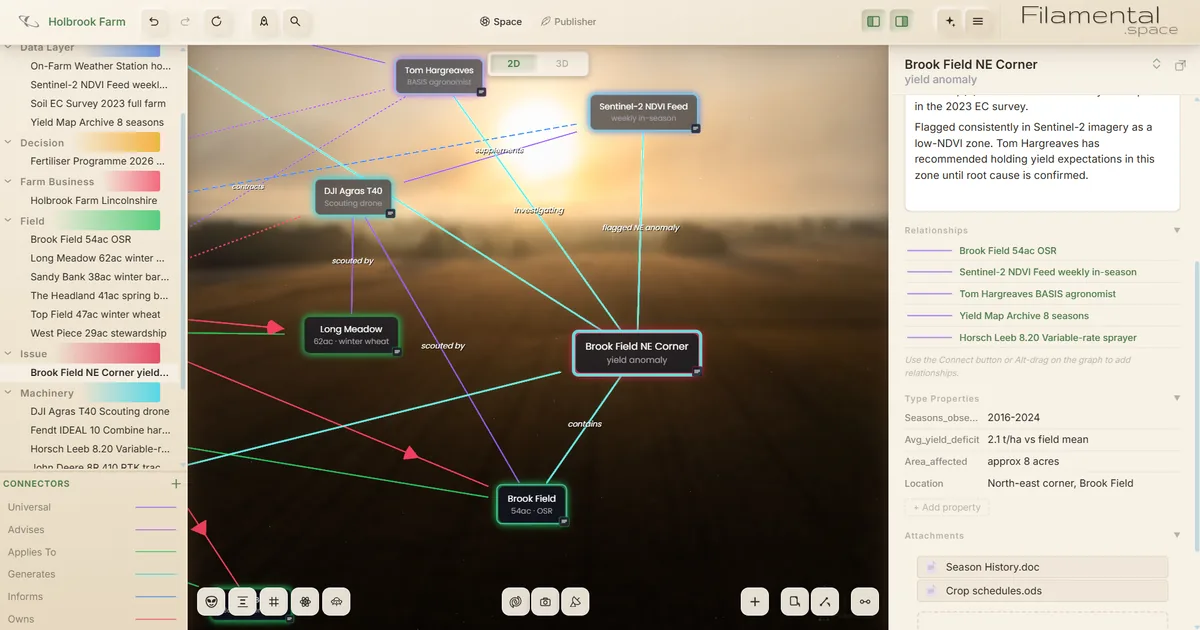
Then there’s the part a folder can’t do. Brook Field is joined to the agronomist who walks it, the contractor who did the drainage and the stewardship scheme that binds part of it, so open any one of those and the rest is one click away.
A farm on the Lincolnshire Wolds, from heavy boulder clay on the high ground to light sand in the valley, with an agronomist, a grain merchant and a stewardship agreement tied to a particular 29 acres.
Brook Field’s north-east corner has come in around 2.1 tonnes a hectare under the field mean since 2016. Everything anybody has found out about it now lives on that one node: the 2019 drainage works and their invoice, the survey showing where the clay gives way to sand, the agronomist’s note, and the three explanations still in the running.
Nobody had to build that, since each time something arrived it went onto the corner it was about. The next person to ask why that corner is poor gets fifteen minutes of reading instead of an afternoon of searching, or a shrug.
No account, no sync client and nothing to import. Your notes are plain text files, your attachments are the actual files, and if you open that folder in Windows Explorer it looks like a folder, because it’s one. Stop using this tomorrow and every document is still sitting where you can see it.
It won’t file your returns or hold spray records for an inspector. Keep whatever does that.
On a farm the systems thinking is spread across people. The agronomist knows why the nitrogen was split on the light land, the drainage contractor knows what he found when he dug, and the manager knows which gateway floods. Most of that has never been written down, and it leaves when they do.
Putting it against the field pays back when a new manager starts or a farm changes hands. And when somebody outside needs to see it, a space goes out as a link or a single file that opens in an ordinary browser, attachments included, with nothing to install.
A Template is a starting vocabulary, so the categories arrive named when you make a space.
Any Template can be renamed, extended or combined with another.
Everything on this page is on the free plan, with no account and no card, and attachments aren’t limited. Spaces are unlimited and the bridges between them are free, so fields, machinery and contracts can each have their own, holding twenty nodes, which is about where you’d want to start a new one anyway.
Professional keeps a big space whole, sends it to somebody who doesn’t have Filamental and presents it. Useful at a handover or a rent review, irrelevant the rest of the time, and we’d rather say so than sell you something you won’t use.
Yes, and it’s the main thing farms use it for. Drag any file onto a node and it attaches alongside that node's notes, as many as you like. Click one and it opens in whatever program normally opens it. You can also drop a file in as a node of its own, so it takes a place in the space next to what it relates to.
Only if you want to. When you drop a file in, Filamental asks whether to copy it or move it. Copy leaves your folders exactly as they are. Move takes the file out of the tree, which is how the shared drive gradually gets smaller instead of larger.
Not directly, and it doesn’t need to. Those platforms hold the prescriptions, the logged passes and the imagery, and they’re good at it. What goes into Filamental is the documents and the reasoning that sit around them. Export a report from any of them and attach it to the field it belongs to.
It’s a folder on your own computer. There’s no account, no sign-in, no sync client and nothing to migrate. Notes are saved as plain text files and attachments are the actual files, so you can open the folder in Windows Explorer and it looks like a folder. Back it up the way you back up anything else.
Yes. It’s a desktop application for Windows, macOS and Linux that reads files on your own disk. There’s no account to sign in to and no server it needs to reach, so it works the same in a farm office with poor broadband as anywhere else.
For most farms, nothing. The Personal plan is free permanently, with no account and no card, and everything described here is on it, including attachments. The paid tier is for sending a space to somebody who doesn’t have Filamental, or presenting it to them. If you never need to do that, you never need to pay.
One field and an afternoon is enough to find out whether this suits how you work. Free, no account, no card, and nothing to cancel if it turns out it doesn’t.