
Space Studio is where you build: a surface with depth, connections that say what they mean, and a whole document behind every node.
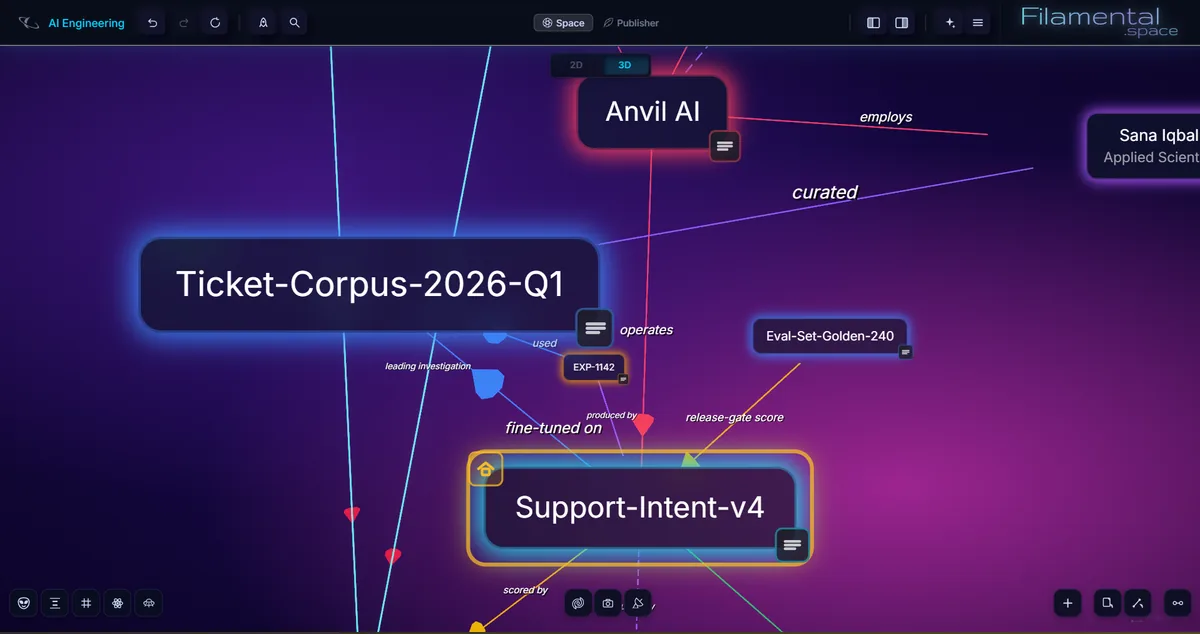
On a plane, an idea has a position and neighbours, and that’s all. Add a third axis and distance and direction start carrying meaning too, so a grouping still holds together as you move around it.
Flat diagrams are precise and often exactly right. They just run out of room, and a graph you’re working inside needs it.
Here it’s stopped, with the panels open.
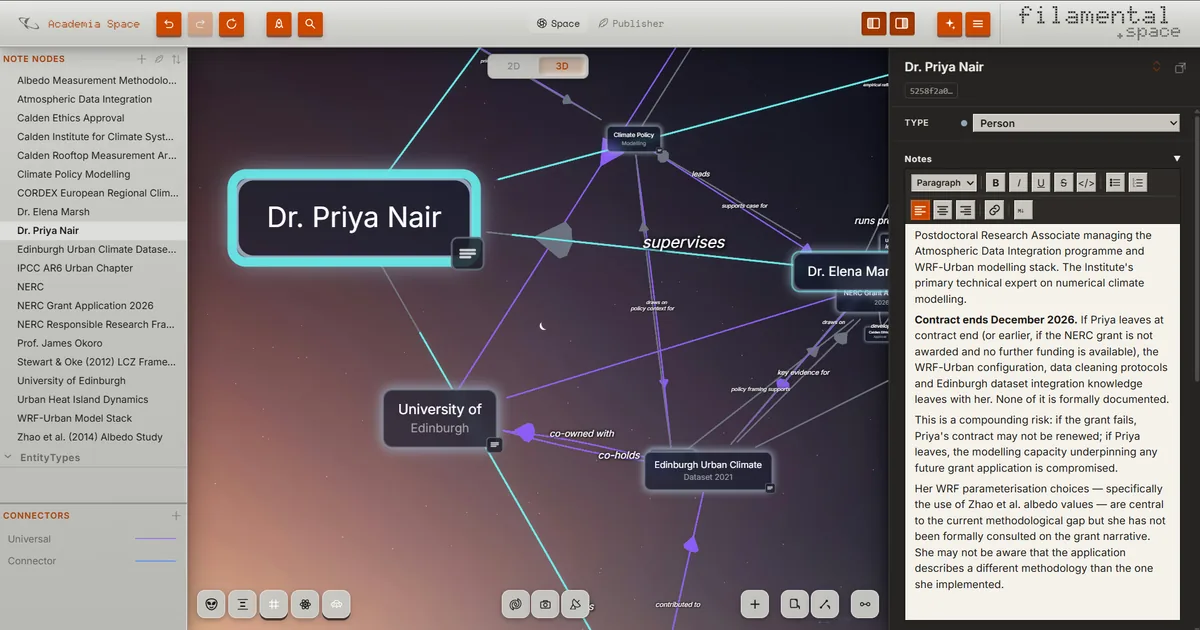
Your structure is a folder of Markdown and ordinary files that knows how it’s arranged.
Start empty, load a Template, or ask your AI to draft the whole thing. Our templates give you the node and connector types, ready for your own content.
That’s a node, and a real file in your folder from that moment on. Every node is a full document underneath.
Put [[a node name]] in any note and it links straight to that page. Nothing lands on the canvas until you decide it should.
Alt-drag one node onto another, then give the connection a type, a direction, a label and a weight.
Dark Energy is our auto-arrange and spreads everything into clusters according to what pulls on what.
Layers sorts the same nodes into a hierarchy by type.
Switch to 2D for a flat, readable diagram, and switch back for the depth.
Your files never stop being files. Edit one in another app and the canvas updates while you watch, and whichever AI you already use can read them too.
Knowing that a person and a grant are connected tells you very little. Knowing that she holds it, and that a dataset is key evidence for it, is the start of a real picture.
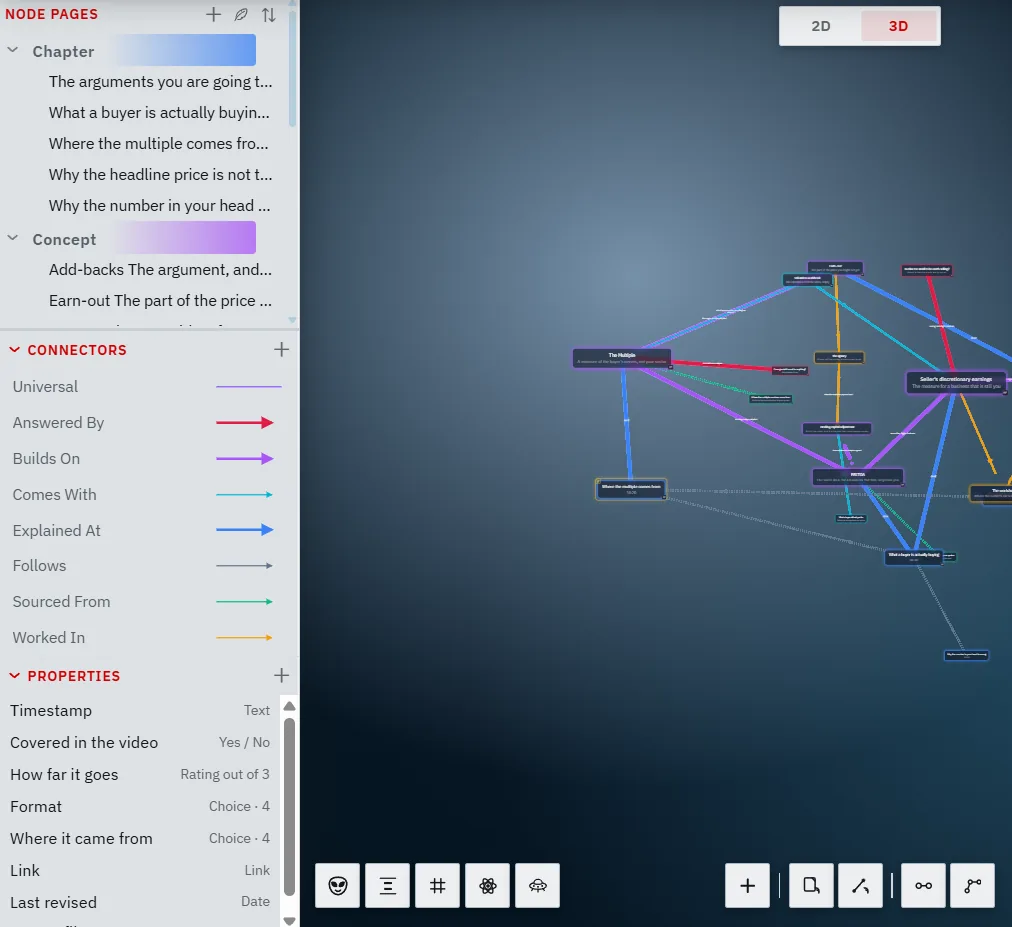
So every connector carries a type, a direction, a label in your own words and a weight. Node types work the same way, as Clients, Risks, Sites, Sources or whatever your field calls them, each in its own colour.
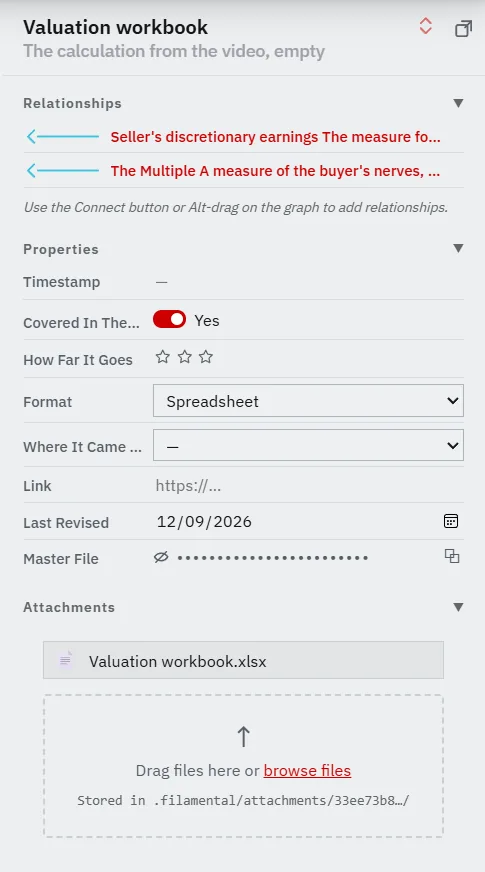
A note is for reasoning. A date, an owner or a reference number wants a field you can look up.
Define a property once and it’s waiting on every node: dates, ratings, choices from your own list, and a Key for values you copy rather than read. A Key is hidden, not encrypted, which is why it’s marked with an eye and a line rather than a padlock.
Every value is plain text in the node’s own file.
Make a space for the investigation, the client or the year, each one a shape you can hold in your head. When two need to meet, drop a Bridge between them and double-click to travel across.
Fifty-six backgrounds for the canvas, seven themes for the interface around it, your own images, and a Pexels search for finding one.
By the time you read this, it's probably more.
Observation
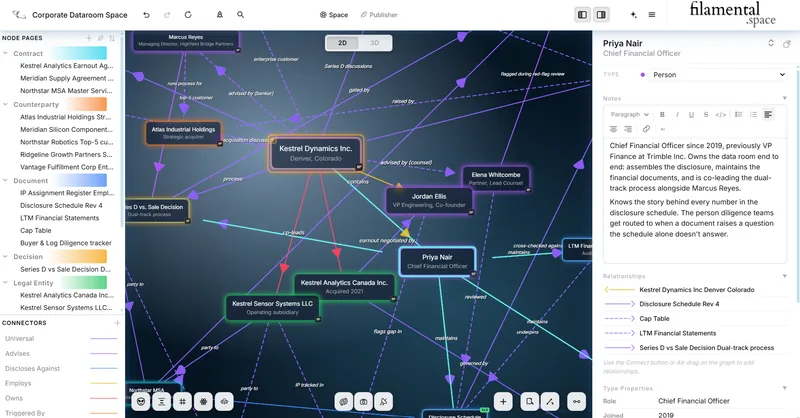
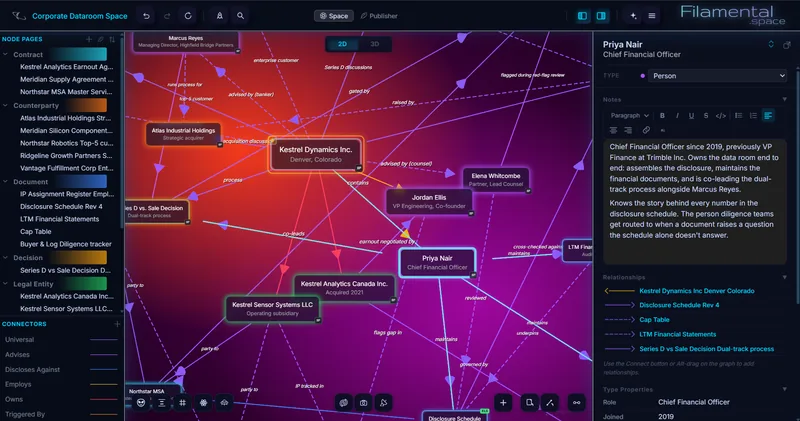
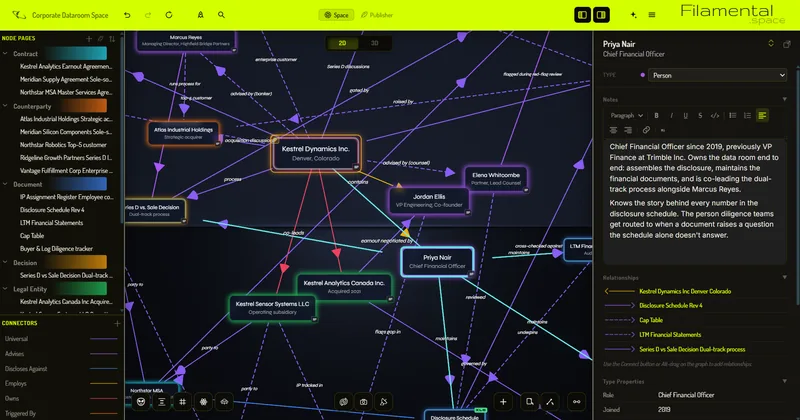
Pick any picture you like and keep every label readable.
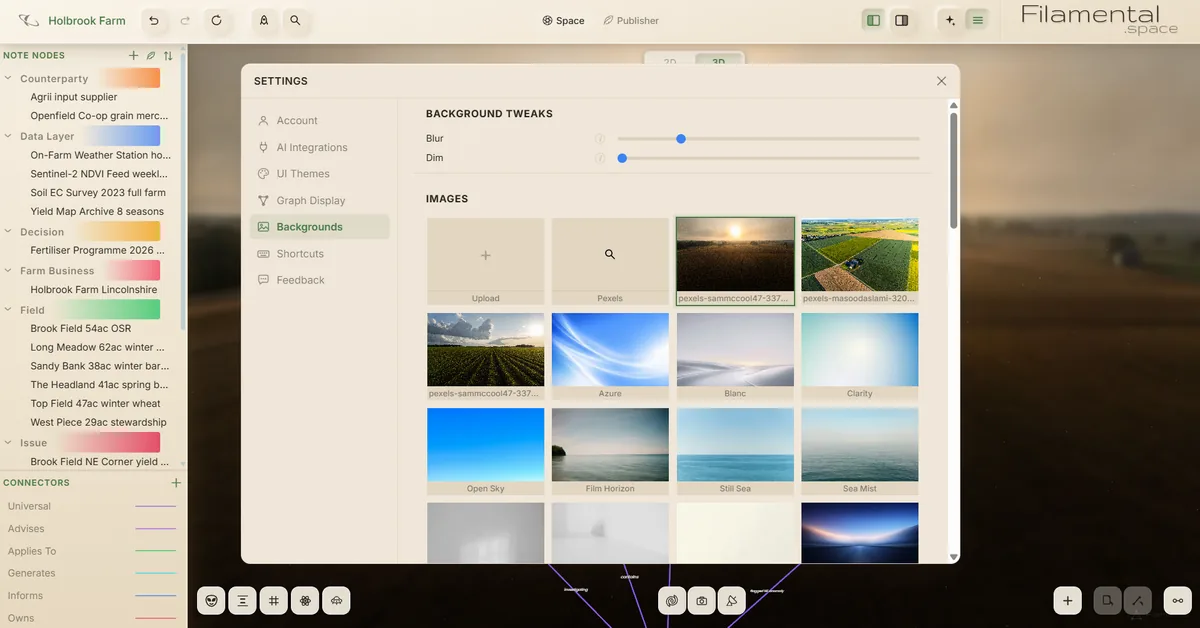
We add to the set fairly frequently, partly because people ask and partly because it’s an enjoyable afternoon's work on a Friday.
The graph itself is adjustable in the same way.
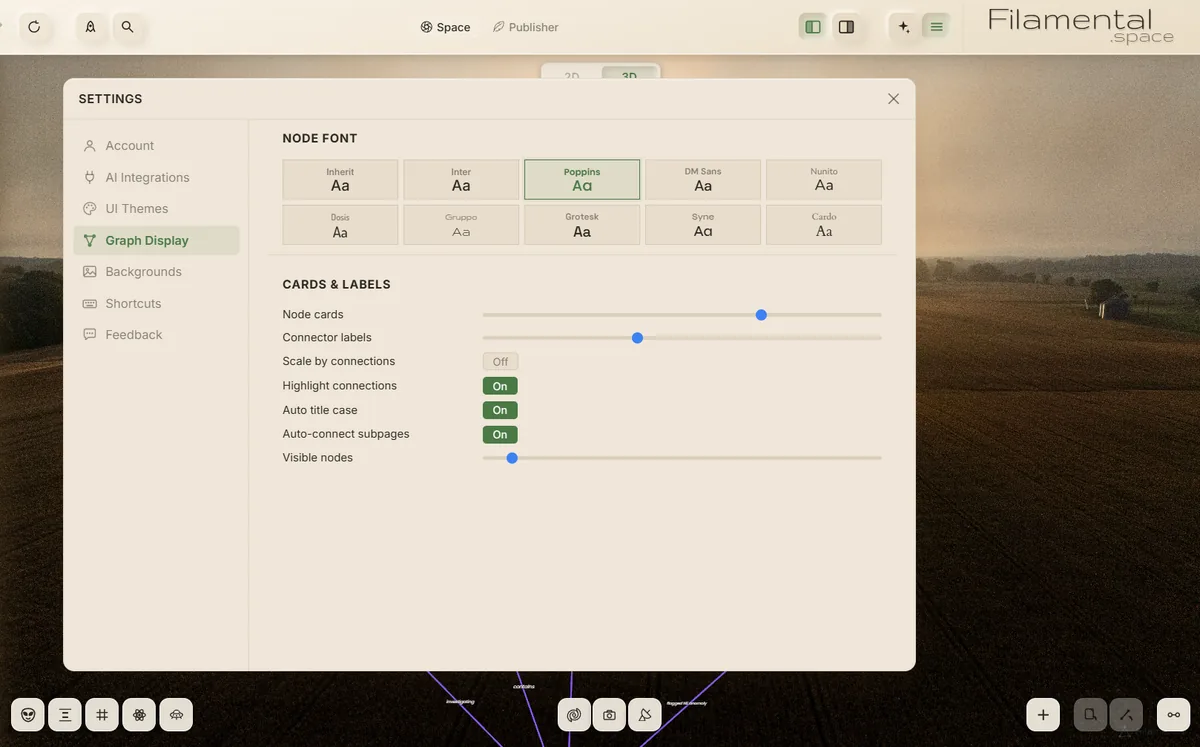
The way it arranges itself is adjustable too.
Pop a node out into its own window. On two screens, keep your notes on one and the structure on the other. On one, it’s a window you can Alt+Tab to.
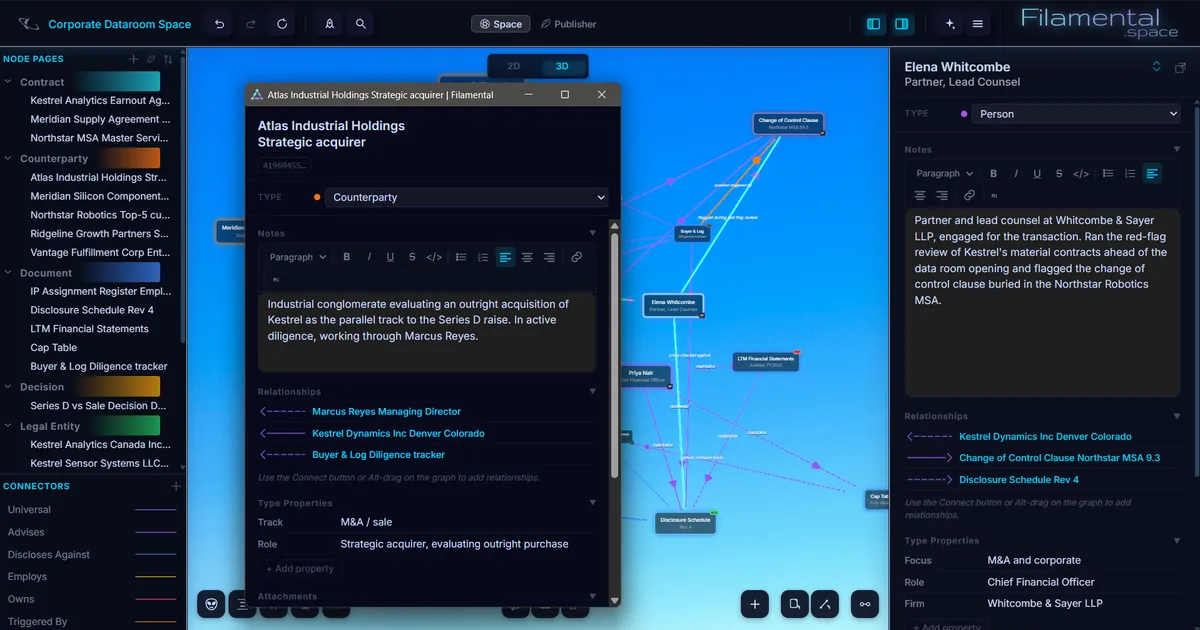
The argument is above, and this is the part that answers "yes, but does it actually do".
Every item on that list is in the free plan, and we know how that reads as a business plan. What we charge for is on the publishing page, and it’s the part that leaves your computer.
Every install opens on Professional for fifteen days, then settles on a free plan that doesn’t expire. There’s a practice space built in, so you can try things without touching your own work.