
You made the best explanation of this subject anybody has published, and the format gives them one sitting with it. A companion space gives them as long as they want: they come back to the part they needed, follow it into the thing it rests on, and take the workbook with them. Nobody subscribes to a video. They subscribe to keep building something, and this is the thing they’re building.
You held the whole thing at once. Six ideas, the way they lean on each other, the two places everybody goes wrong, the example that makes the third one land. Then you flattened it into thirty-four minutes so it could be published, and now every viewer has to rebuild that shape from a line, at your pace, in one go.
They get the argument and the structure goes, along with the workbook you held up on screen and the answer at fourteen minutes nobody can find again. The part of your work that earns somebody’s loyalty is the part they still have next month.
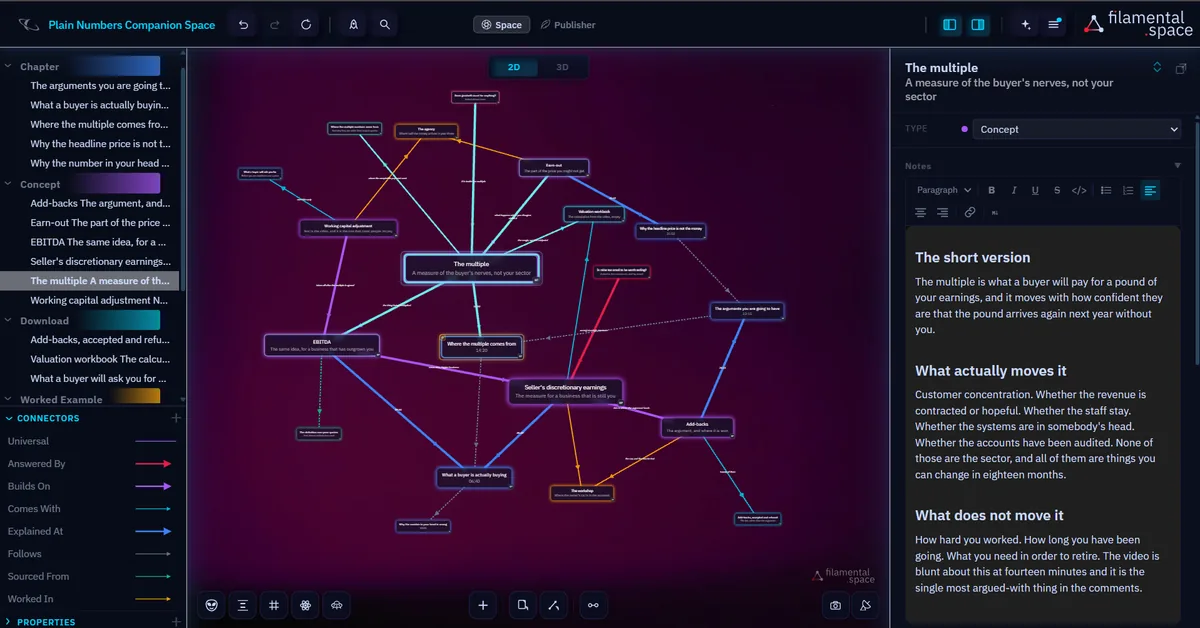
Each idea in the video is one thing in the space, and the minute it’s explained at is written along the line joining it to its chapter. Somebody who wants the part about earn-outs opens the idea, reads your note on it, and the time is sitting on it.
Then the ideas join to each other, which the format can’t do at all, so somebody who starts in the wrong place can walk backwards until it makes sense. Drag the workbook onto the concept it calculates and whoever opens the link finds it on that page, named and sized, one click to download.
Plain Numbers is an invented channel. The video is thirty-four minutes on what a small business is actually worth, which is a subject that bounces: you can’t explain the multiple without the earnings measure, and you can’t explain the earnings measure without the argument about what counts. The space beside it is twenty nodes, which is exactly what a free space holds.
The chapters are its spine, in order, with their times on them. Does goodwill count for anything, asked eleven times in the comments, sits as a question joined to the concept that answers it, two hops from the right ninety seconds of video, so you answer it once rather than eleven times underneath.
And it holds what the video couldn’t. The working capital adjustment was cut at the second edit for time, and it’s the one that costs people money, so it’s in the space, marked as not covered. The valuation workbook, the list of add-backs and the document checklist each hang off the thing they belong to rather than sitting in a description.
Connect Claude to a space, give it the script, and ask it to lay out what the video explains. It makes one thing per idea, joins them the way you joined them, writes your timestamps along the lines, and puts your own words on each one. You did the structural work when you wrote the thing. This is reading it back.
What comes out is roughly right, because a good script is already roughly the structure. Fix the two it misread, add the thing you cut for time, drop the workbook on and stop, or spend an hour and make it the best thing under the video.
It doesn’t have to be you either, since Claude reaches a space over MCP on every plan, free, with the files staying on your own disk.
Put the content into the structure. Space Studio is where it gets built, and the script does most of that for you.
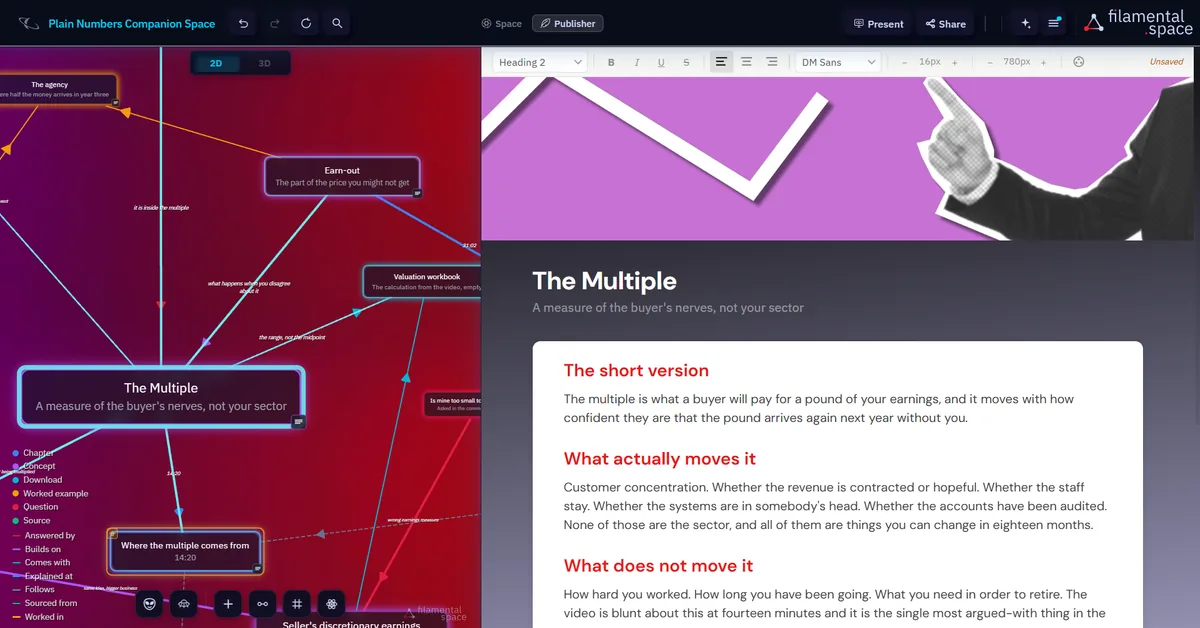
Give it character in Publisher Studio. Covers, type and the order things arrive in, which is where it starts looking like yours.
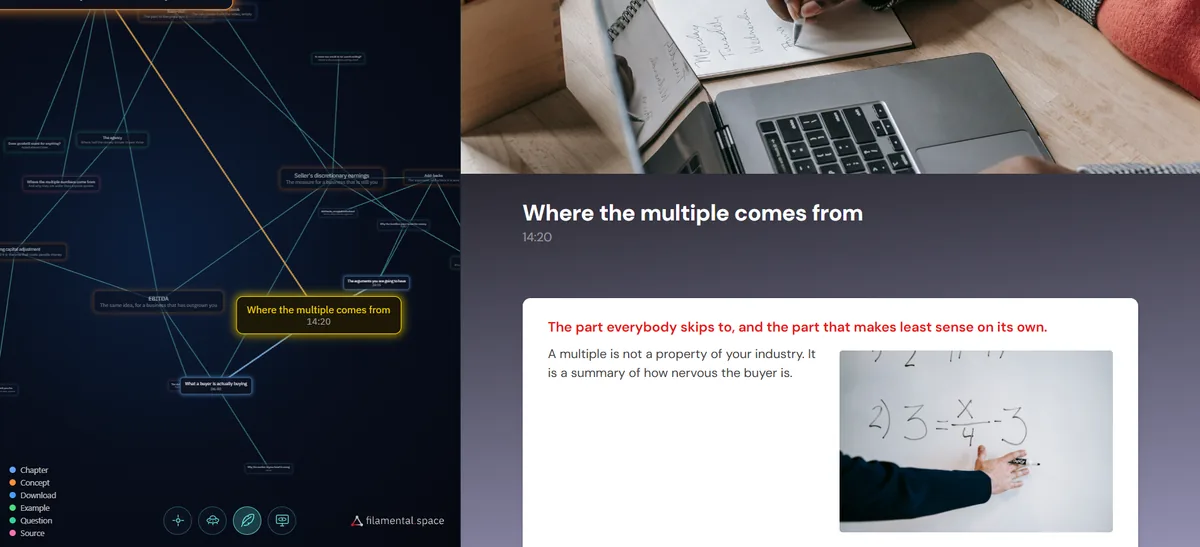
Then look at it, or stand next to it. Fill the screen and move through it, which is also footage about your subject, made from your own material, for the video itself.
Create lasting bonds with material your audience can go back to time and again.
If a subject is finished in one watch, a companion space is work that nobody opens. If your audience saves your videos, it’s for you, and if they scroll past them, it isn’t.
For everything else, it’s smaller than it looks. It doesn’t want your footage or your schedule, and your notes are plain files in a folder on your own machine, with no account and no telemetry, which matters while a video is still unlisted.
It won’t grow your channel either. Keep whatever does that.
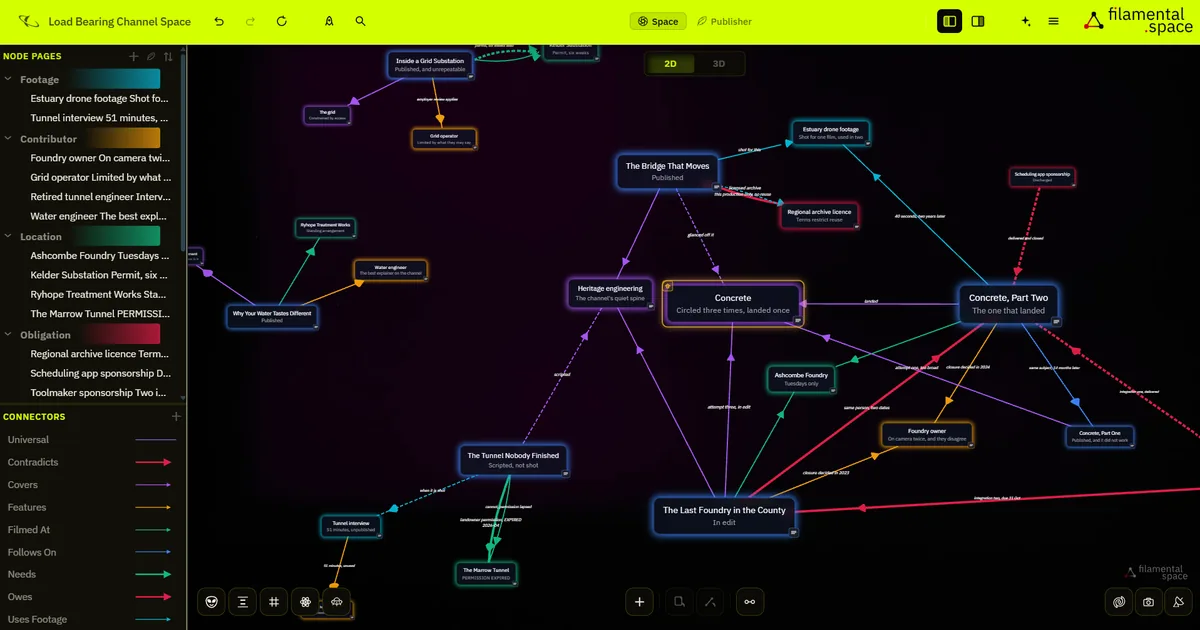
Nothing stops you running the production side in it, and some people will: a contributor with every video they appear in, a location with the date its permission runs out, a topic you’ve circled three times with all three attempts in order. It’s a real use, and the shape is the same, things joined with the files on them.
If the hard part is working out what’s actually going on across forty sources and six months, rather than handing it over, that’s a different use of the same tool, and the investigation page makes that case properly.
A Template is a starting vocabulary, so the categories arrive named when you make a space.
Take one and change every word of it. The worked example started as Learning Design and ended up with chapters, questions and downloads, because that’s what one video turned out to be made of.
Be straight about it: leaving a companion under every video needs the paid tier, because they all have to be live at the same time.
Don’t start there, though. The free plan keeps one published link at a time, permanently, with no account and no card, so publish one, put it under a video and see what your audience does with it. It usually takes two or three goes to find your version: the first too thin, the second trying to hold the whole subject, and the third the one you’d put your name on.
Professional is $120 a year, or $12 a month. It removes the limit, pushes an updated version to an address people already have, and gives you the whole thing as a single HTML file with no expiry, the one to use under a video that will still be watched in two years. Your audience pays nothing either way.
Nothing stops anybody else doing this. Almost nobody does, which is most of the argument for being early.
If you build a companion for the video, the tool is already in the video, and the link under it is the one your audience was going to look for anyway. The terms are 25% of every payment, recurring for as long as the subscription runs, with a 180 day window.
A web address, or a single HTML file. It opens in an ordinary browser on a phone or a laptop, and what opens is the structure you built, navigable, with your notes on every part of it. Files you attached show up on the page they belong to, named and sized, and clicking one downloads it, so the workbook and the checklist travel with the thing rather than in a description. Nobody installs anything, nobody makes an account, and nobody pays.
The script is the input, so the first version isn’t written by hand. Connect Claude to a space, give it the script, and ask it to lay out what the video explains: it makes one thing per idea, joins them the way you joined them, and writes the timestamps on. Ten minutes gets you something worth sending. An hour gets you the best thing under the video. There’s no point at which it’s unfinished.
A hosted link lasts 180 days and then expires on its own, which is deliberate, because links that live forever are how confidential work gets found years later. For a video that keeps being watched, publish the space as a single HTML file instead: it has no expiry, you host it wherever you already host things, and it doesn’t depend on us at all. The file is part of Professional.
No, and that’s deliberate rather than a trial. What you send opens in the browser they already have, with nothing to install, no account, no sign-in and no charge, on any device. The paid line in Filamental is drawn at the point where work leaves your hands, never at the point where somebody receives it.
No. If a subject is simple enough to be finished in one watch, a companion space is work that nobody opens. This suits people explaining things complicated enough that the audience comes back to them: long explainers, technical series, anything where somebody takes notes. If your audience saves your videos rather than watching them once, it’s for you.
Yes, and it changes the shape of what you are selling. Most of what gets sold alongside content is a set of videos and a PDF, which is the same watching and reading the free version was. A space is walked rather than played: somebody arrives at the part they need, follows it to what it rests on, and takes the workbook attached to it. You can publish one space per module or one for the whole thing.
One script and one evening is enough to find out whether your audience uses this, and the video is already made. Free, no account, no card, and nothing that leaves your machine.